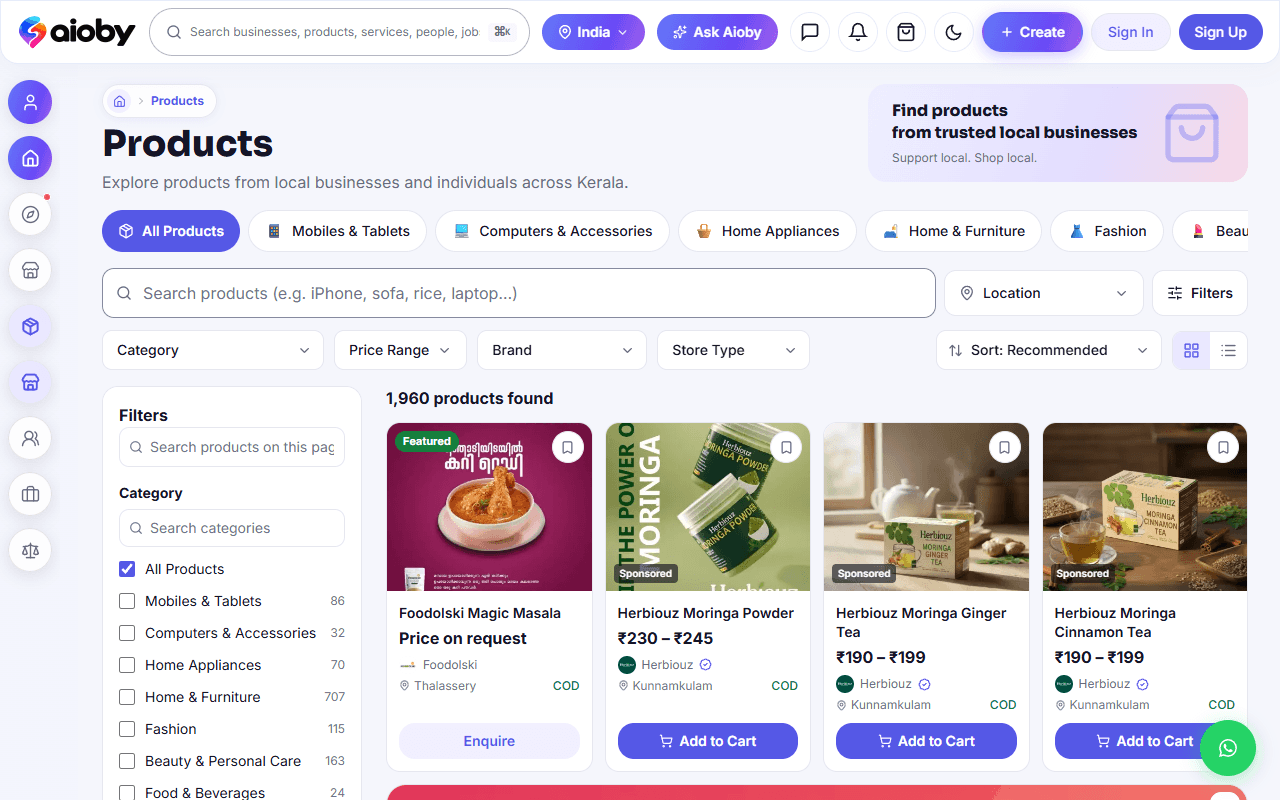

Search and browse
Find businesses, listings, people and posts with search, categories, filters and the map.
Last updated 30 October 2026
There are three ways to find things: search, browse by category, and explore on the map.
Search
Type what you need into the search bar. Results include businesses, listings, people and posts. Narrow them with category, city, price and rating filters.
Browse by type
Every listing type has its own browse page with filters that suit it: Products, Services, Jobs, Used items, Properties, Motors, Events and more. See Listing types for all 15.
List or grid
Every browse page has a list / grid switch next to Sort. Jobs, events, courses, services, businesses, members and blog posts open as lists, which are easier to scan. Products, vehicles, properties and stays open as grids, because pictures matter most. On desktop the search, location, Filters, Sort and this switch stay at the top while you scroll.
Find people
The Members page lists people on Aioby. Filter by city, people you follow, people who follow you, or members who have a business page, and sort by newest, most followed or name.
Find businesses
The Stores page lists Business Pages. Filter by city, rating, price range, Open now and offers, or search within a radius of your location.
Map
Use Explore to see businesses on a map and tap one to open its page.